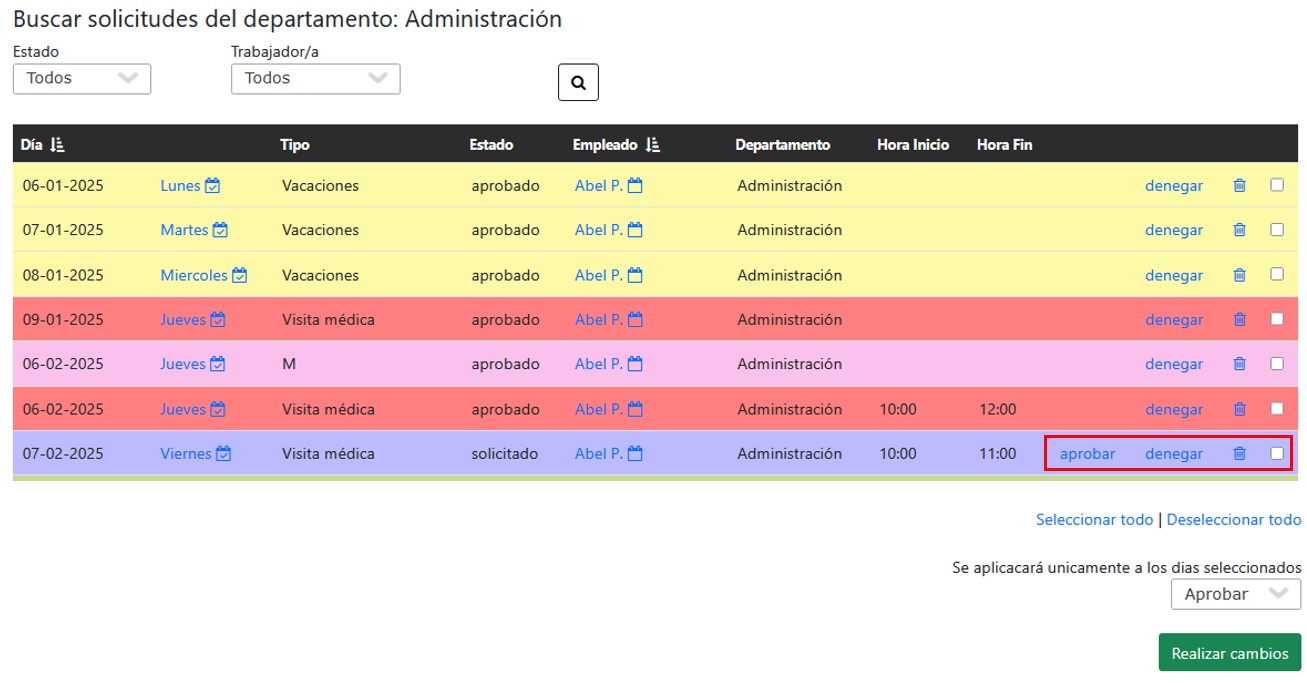
Schedule and Permission Modification
1.- Access the Management menu > Employee Requests Management

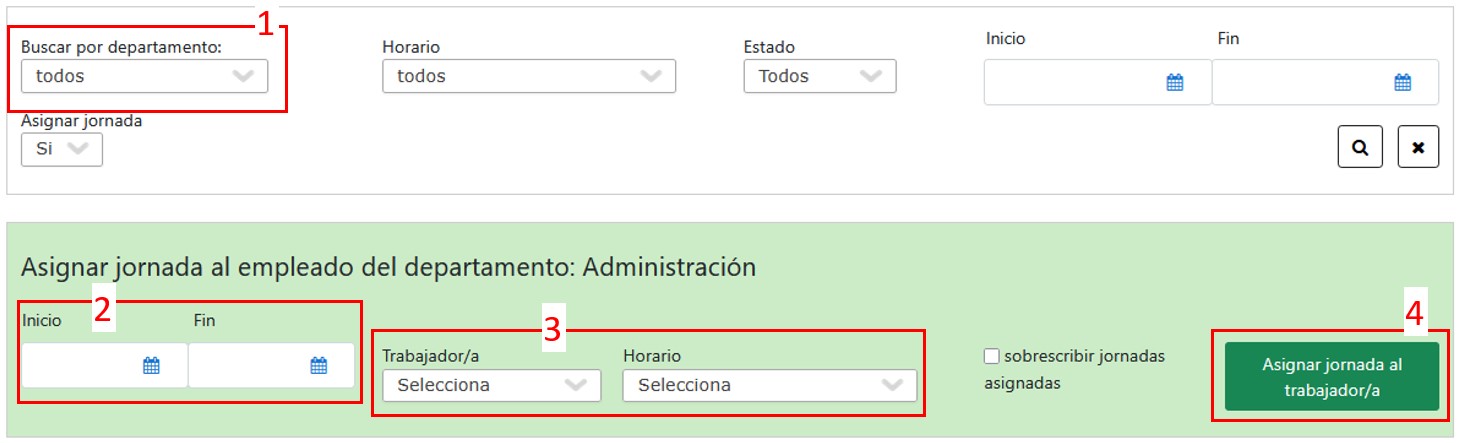
2.- Assign a schedule to the employee
- We can search for the employee by selecting their department.
- Select the start and end date.
- Select the employee.
- Select the schedule (vacation, leave, etc.).
- Click the button “Assign workday to the employee“.
3.- Manage schedules and permissions
At the bottom, we can manage employees’ schedules and permissions. From there, we can approve, deny, or delete a request.
It is also possible to select multiple days at once to speed up modifications.