ETEMPUS - Control Horario
  • Home
  • Log In
  • Business Success
  • Installation
  • Manuals
  • YouTube
  • Contact
  • 931 701 699
    • Switch to Spanish
    • Switch to Catalan
  • Home
  • Log In
  • Business Success
  • Installation
  • Manuals
  • YouTube
  • Contact
  • 931 701 699

Add icon on IPHONE.

ADD AN ETEMPUS ICON ON AN IPHONE SCREEN

1.- Access the ETEMPUSwebsite from the browser.

pantalla_busqueda_google_etempus

2.- Press the share button (the central icon on the bottom bar).
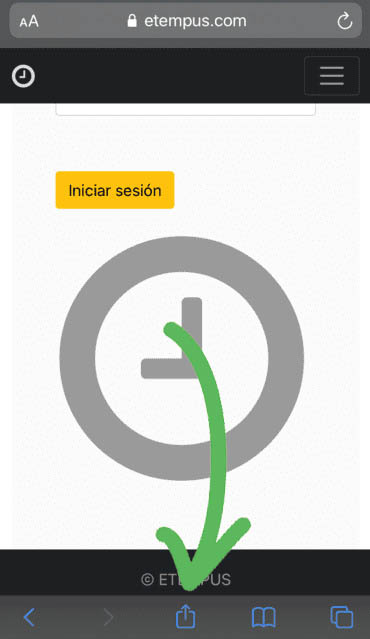
Etempus Add icon to home screen Iphone 1

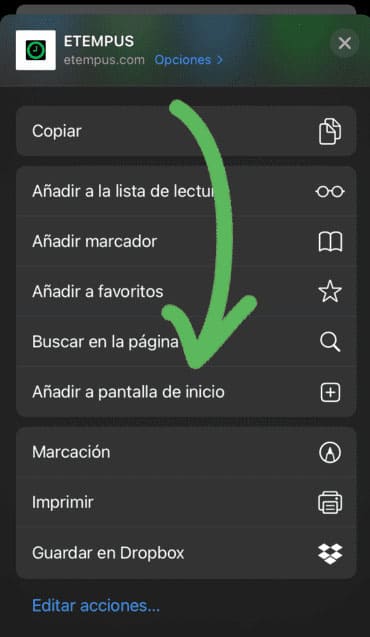
3.- Select “Add to home screen”.

Etempus add icon to home screen Iphone 2

4.- Select “Add”

Etempus add icon to home screen Iphone 3
© ETEMPUS |hola@etempus.com |Privacy Policy