ETEMPUS - Control Horario
  • Home
  • Log In
  • Business Success
  • Installation
  • Manuals
  • YouTube
  • Contact
  • 931 701 699
    • Switch to Spanish
    • Switch to Catalan
  • Home
  • Log In
  • Business Success
  • Installation
  • Manuals
  • YouTube
  • Contact
  • 931 701 699

CHANGE PASSWORD ETEMPUS

Change the access password to Etempus

1.- Log in with your current password
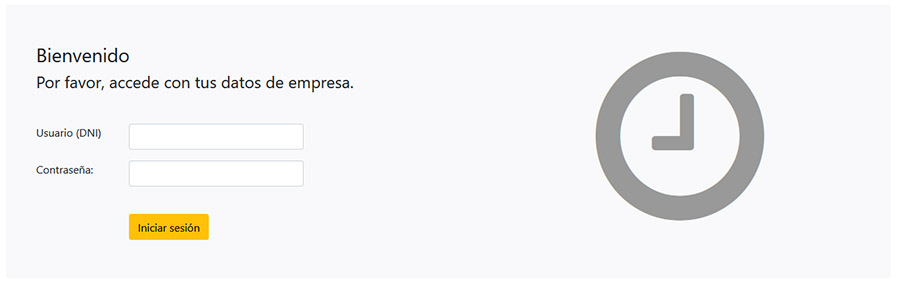
etempus login screen

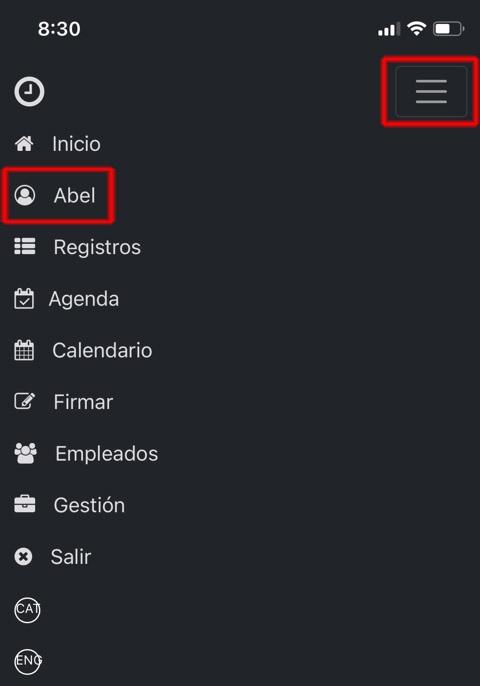
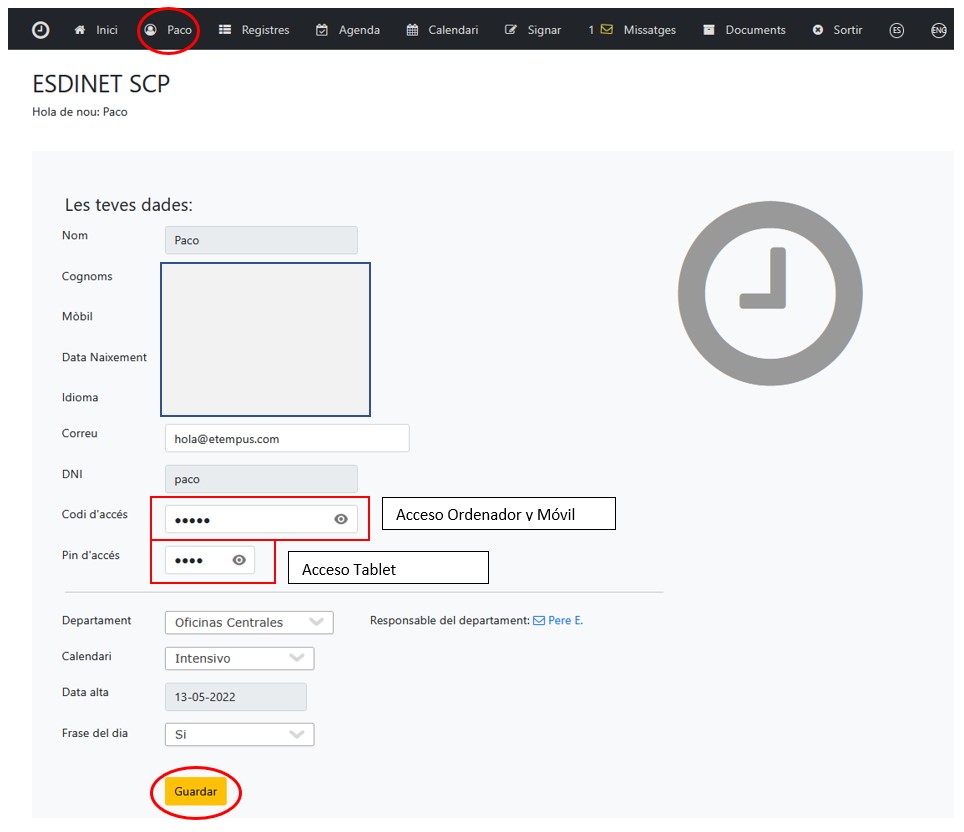
2.- Once logged in, click on your name in the menu.

etempus header menu
etempus mobile menu

3.- Change your access code.

Time Control access code modification Etempus

Contact if you have any questions

Send mail: hola@etempus.com

5 + 12 =

© ETEMPUS |hola@etempus.com |Privacy Policy